Changing the colour scheme of an include
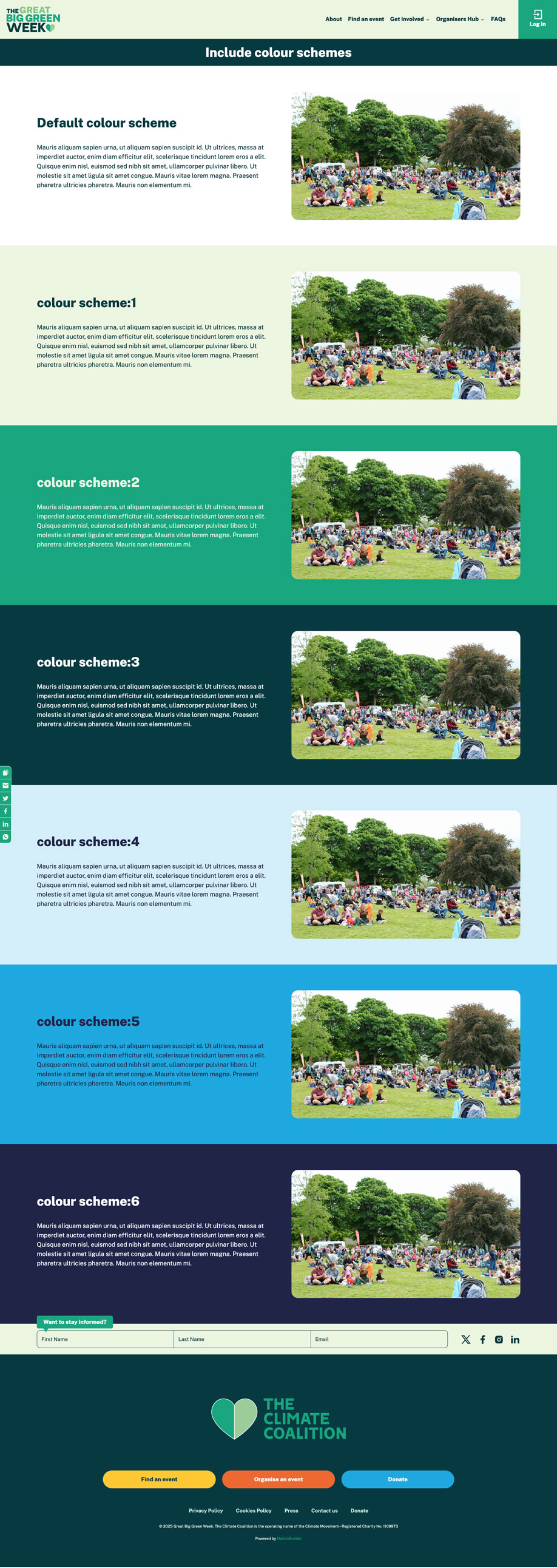
For any include block you add to a page there are seven possible colour scheme available for use.
By default the include will have a white background. You can change the include colour scheme by doing the following:
- Go to the include basic page (for example if your include page is 'my_include_page' then this the page you need to edit).
- Add a tag with the structure 'colour scheme:[1,2,3,4,5 or 6]'. So if I want to use the 4th available alternative scheme the tag would be 'colour scheme:4'.
- Save the page.
The include block will now appear on the landing page with the specified colour scheme. Below is an image showing the different schemes available.